
Some of the options in this product are similar to programs like Photoshop. However, Color Finesse works with a '6-channel secondary color corrector' that allows you to select 6 seperate colors within the image and to manipulate their characteristics together. This allows for a more atmospheric difference between the two programs.
Showing posts with label selection tool. Show all posts
Showing posts with label selection tool. Show all posts
Tuesday, 22 September 2009
Color Finesse
Another nice tool that we "can't" afford ($600) is the Color Finesse Synthetic Aperture. This product is specifically geared towards photography and video color correction and adaptation. The great difference between this tool and the Color Munki is that Color Finesse draws strength from using gain, gamma, pedestal, hue and saturation to affect the color within the image.
Some of the options in this product are similar to programs like Photoshop. However, Color Finesse works with a '6-channel secondary color corrector' that allows you to select 6 seperate colors within the image and to manipulate their characteristics together. This allows for a more atmospheric difference between the two programs.
Some of the options in this product are similar to programs like Photoshop. However, Color Finesse works with a '6-channel secondary color corrector' that allows you to select 6 seperate colors within the image and to manipulate their characteristics together. This allows for a more atmospheric difference between the two programs.


Color Munki
Color Munki is a spectrophotometer geared to read a physical object for color and then design an entire palette of over 50 colors that are similar based on imput data (i.e. complimentary, color, hue, saturation, etc...) Once you have these palette they can easily be imported into creative software for use, without the hassle of having to select each entry one-by-one.

...the software for the tool is similar to i-tunes.
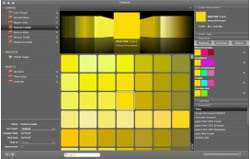
The sad part about this tool is it's price: $499 ... that's rather expensive for those who are not working professionally.
Monday, 21 September 2009
Java Color Tool


Subscribe to:
Posts (Atom)